Week 1 · Day 3 of 40 · Use AI

The AI SDLC: feature development workflow

You ship: A Linear backlog shipped through the full SDLC at 10 PRs an hour. Builds on: Day 1.

By the end of the day you can

  • Execute the full AI SDLC: Linear ticket → Figma design → code → test → PR → deploy → monitor
  • Configure MCP integrations for Linear, GitHub, and Figma
  • Write effective feature specs that AI can implement from
  • Hit 10 PRs/hour through the full SDLC loop

Topics

The AI SDLC Flow

  • Traditional SDLC vs AI SDLC: what changes when AI writes most of the code
  • The new flow: Linear ticket → Figma design → code → test → PR → deploy → monitor
  • Where humans add value: spec writing, review, architecture decisions, edge case identification
  • Where AI adds value: implementation, test generation, boilerplate, refactoring

MCP Integrations

  • Linear MCP: read tickets, update status, pull acceptance criteria directly into Claude Code's context
  • GitHub MCP: create branches, open PRs, read review comments, manage issues
  • Figma MCP: read design specs, extract component dimensions, colors, layout information
  • Configuring MCPs in .claude/settings.json

Writing Effective Specs

  • What makes a good spec for AI implementation: clear acceptance criteria, explicit constraints, examples
  • Spec templates: feature spec, bug fix spec, refactor spec
  • Anti-patterns: vague requirements, implicit assumptions, missing edge cases
  • The "spec → implement → review" loop: how to iterate effectively

Review-Driven Development

  • Write the spec, let AI implement, you review and iterate
  • What to look for in AI-generated code: correctness, patterns, security, performance
  • When to refine the spec vs when to edit the code directly
  • Building muscle memory for effective review

Build

Features shipped today

  • WorkBot: A Linear workspace with its first 15-20 tickets, shipped through the SDLC loop: intake form, ticket list, admin console shell

Set up Linear with a backlog of 15-20 small feature tickets for the TypeScript project. Each ticket has:

  • Clear acceptance criteria
  • A Figma design reference (where applicable)
  • An estimated complexity (small/medium)

Practice the full AI SDLC loop:

  1. Pick a Linear ticket
  2. Read the Figma design via MCP
  3. Write/refine the spec
  4. Let Claude Code implement
  5. Review, iterate if needed
  6. Run tests
  7. Open PR
  8. Deploy

Target: 10 PRs/hour. The goal is building muscle memory for this workflow.

Walkthrough

Run the loop from ticket to deployment. The day starts a backlog of 20 small tickets with acceptance criteria, connects Claude Code to Linear, GitHub and Figma over MCP, and ships WB-5 to WB-11: a request model, an intake form, a requests list, a requests API, and an admin console with an overview.

Part 1

Act on the review

Day 2 ended with the 3 reviewers' findings on the Day 1 code. Fixing them is the first pull request of the day.

Study first

  • Sort the findings into fix now, fix later with a ticket, and disagree with a reason.

Build

  1. The health route answers from the running server: await connection() from next/server before reading the configuration, so the route is no longer prerendered.
  2. Commit the smaller fixes together: || instead of ?? for environment fallbacks, so an empty variable falls back; !.env.example and *.log in .gitignore; shadcn and tw-animate-css moved to devDependencies; the unused Separator removed; permissions: contents: read in the workflow.
  3. Open the pull request with the findings listed, one line each, so the reviewers' work is traceable.

Done when

  • pnpm build lists /api/health as dynamic, and the pull request is merged with CI green.
Technical notes
  • Under Cache Components, Day 1's rendering model, a GET route handler is prerendered like a page unless it reads request data or calls connection(). A prerendered health check reports build-time values.
  • ?? falls through on null and undefined only; VERCEL_GIT_COMMIT_SHA="" would have shown an empty commit. || treats the empty string as missing too.
  • create-next-app writes .env* into .gitignore, which also ignores .env.example; the file that documents the variables must be committed, so it is un-ignored by name.
Part 2

A backlog and the MCP servers

Each ticket gives Claude Code acceptance criteria to implement, and the review of its pull request checks them.

Study first

Build

  1. Create the Linear workspace and 20 tickets for the features of Days 3 to 5. Each ticket: a title, 2 to 4 acceptance criteria, and a size, S for under an hour and M for 2 to 4 hours. Where a ticket has a screen, attach the Figma frame. Mirror the tickets in docs/backlog.md, so a Claude Code session can read a ticket by path.
  2. .mcp.json with the Linear, GitHub and Figma servers over HTTP; the entries are in the technical notes. Start Claude Code, run /mcp, and sign in to each.
  3. In Claude Code, ask for the acceptance criteria of a ticket by its Linear id, for the frame attached to a ticket, and for what changed in your Day 1 pull request.

Done when

  • Claude Code reads a ticket from Linear, a frame from Figma and a pull request from GitHub without you pasting any of them.
Technical notes
  • The 3 entries:
{
  "mcpServers": {
    "linear": { "type": "http", "url": "https://mcp.linear.app/mcp" },
    "github": { "type": "http", "url": "https://api.githubcopilot.com/mcp/" },
    "figma": { "type": "http", "url": "https://mcp.figma.com/mcp" }
  }
}
  • Project MCP servers live in .mcp.json at the repository root and are committed; the sign-in tokens are stored outside it. .claude/settings.json holds hooks and permissions, not servers.
  • The backlog mirror is a Markdown table plus a section of criteria per ticket. A ticket id in a commit subject, (WB-6), links the commit to its criteria; the id appears in commit subjects only, never in code.

Part 3

7 tickets through the loop

For each ticket: branch, write the brief from its criteria, let Claude Code implement, review, test, open and merge the pull request, deploy. The curriculum's target for the day is 10 pull requests an hour.

Study first

  • Server Actions and useActionState: a form posts to a function on the server, which returns the next state, such as field errors, or redirects.
  • Zod 4: z.object, .safeParse, z.flattenError, and z.infer for the type.
  • Suspense under Cache Components: a component that reads changing data runs at request time inside a Suspense boundary with a fallback; io() from next/cache marks that read.

Build

  1. WB-5, the model: a Zod schema for a request (title, details, team, priority) and its inferred type, a list in memory shared through globalThis, createRequest and listRequests, with unit tests for trimming, defaults and rejection. The brief turns each criterion into a sentence a test can check.
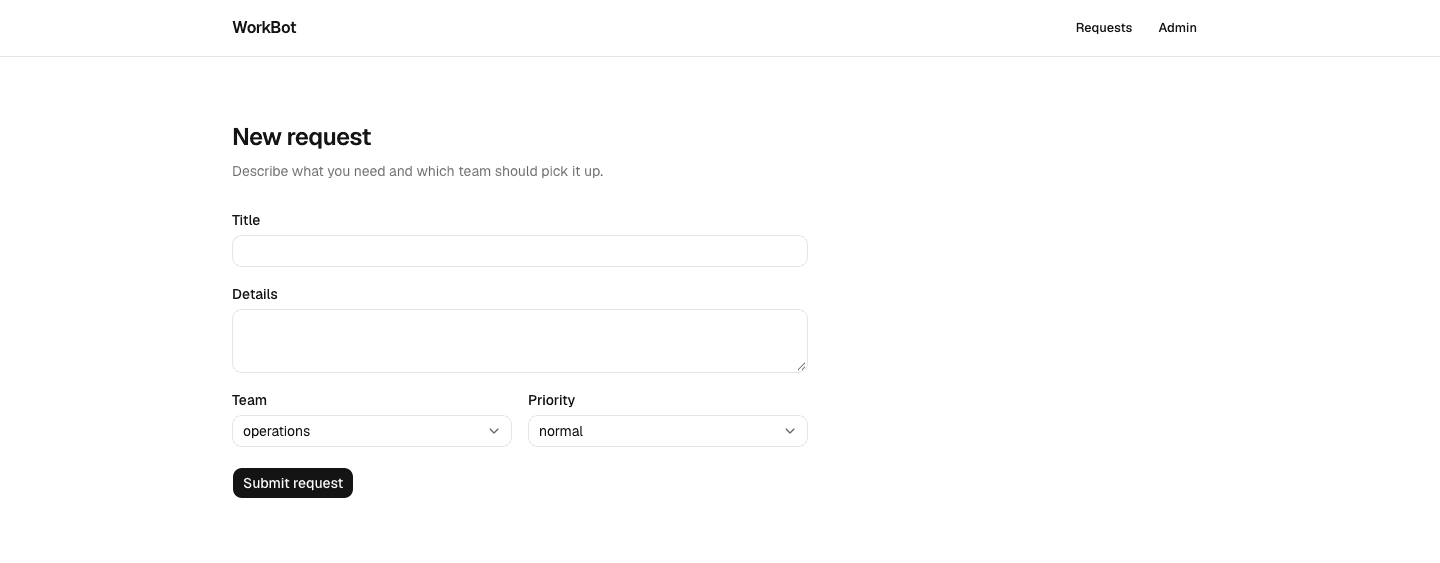
  2. WB-6, the intake form: /requests/new with Input, Textarea and NativeSelect from shadcn/ui, submitted through a Server Action that returns field errors or redirects to the list.
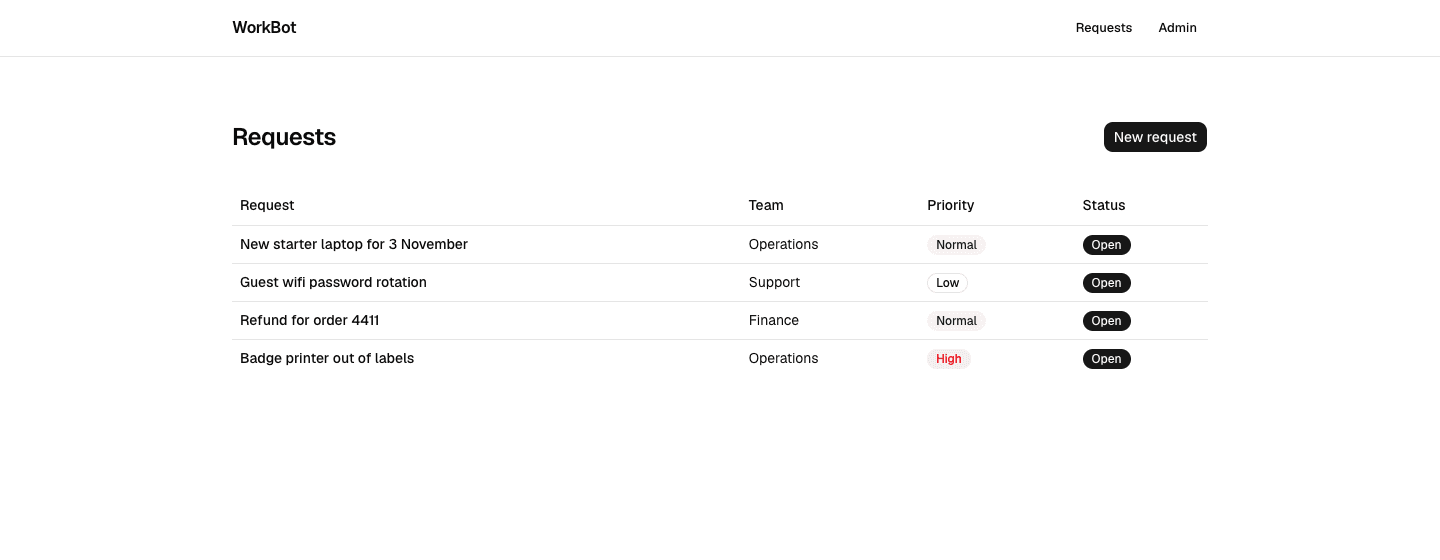
  3. WB-7, the list: /requests as a Table with badges for priority and status, an empty state, and a button to the form. The header links to it.
  4. WB-8, the API: GET and POST /api/requests, validated by the same schema, with tests that parse every response through a response schema.
  5. WB-9 and WB-11, the admin shell: a layout with side navigation under /admin, and the settings page moved to /admin/settings.
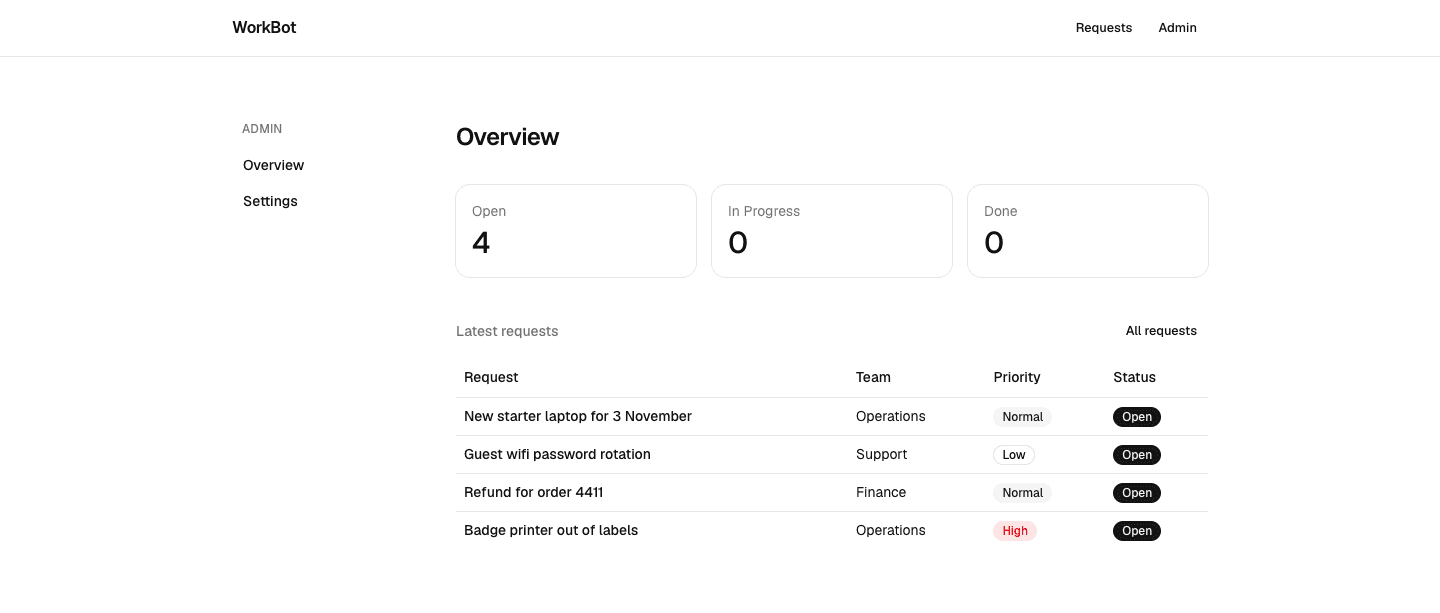
  6. WB-10, the overview: a card per status with the count, and the 5 latest requests.
  7. After each merge, open the production URL and use the feature once.

Done when

  • A request filed on the production form appears on the list, in the API's GET response, and in the admin overview's counts.
The intake form
The intake form: the schema's lists drive the selects, and the Server Action returns field errors under the field.
The requests list
The requests list, newest first, with priority and status as badges.
The admin overview
The admin console: counts per status, the latest requests, and settings moved under it.
Technical notes
  • One schema, 3 uses: the Server Action parses FormData, the API parses JSON, and the type of a request derives from it.
  • The Server Action returns { errors } from z.flattenError(error).fieldErrors, so each field shows its own message. On success it calls redirect, which throws; nothing runs after it.
  • Native selects, not the Radix Select, so the form submits without JavaScript. The pending state from useActionState is an enhancement on top.
  • Each route is bundled on its own, so a module-level array would be one list per route. globalThis holds a single list within one server process; a restart loses it and a second instance would not see it, which is why the database arrives on Day 5.
  • listRequests awaits io() from next/cache, which tells Next.js that request-time work follows. During prerendering it suspends, so the Suspense fallback is in the static shell and the list renders per request.
  • The API's tests call the exported GET and POST with a Request object; no server runs. The response schema in types.ts is what a client would validate against.

Resources