Week 1 · Day 1 of 40 · Use AI

Dev environment and Claude Code fundamentals

You ship: A Next.js project scaffolded with Claude Code, and the PR loop run to 10 an hour.

By the end of the day you can

  • Have a fully configured AI dev environment (Ghostty, Claude Code, Cursor, GitHub, Vercel)
  • Execute the full development loop: code → PR → review → deploy
  • Hit a pace of 10 PRs/hour for new features

Topics

Ghostty Setup

  • Installing Ghostty (a native, GPU-accelerated terminal for macOS and Linux)
  • Tabs and windows: one per project, for switching between codebases
  • Split panes: right, down, left and up splits within a tab; zoom a split to fill the tab
  • Notifications: desktop notifications from agents (OSC 9 and OSC 777), plus a dock bounce and a bell mark in the tab title when an agent needs attention in an unfocused pane
  • Configuration as a file: ~/.config/ghostty/config.ghostty, with keybinds for splits and tabs; reload with cmd+shift+,

Claude Code Fundamentals

  • Installation and authentication
  • CLAUDE.md: what it is, why it matters, writing your first project-level CLAUDE.md
  • Permission modes: understand and configure trust levels
  • Basic commands: prompting, accepting/rejecting edits, interrupting, navigating history
  • Understanding how Claude Code reads and edits your codebase
  • The same shape in Codex CLI and OpenCode (Day 21): instruction files, permissions, MCP. Claude Code is the first one you learn

IDE Setup

  • Cursor installation and configuration
  • Essential extensions for AI-assisted TypeScript development
  • Editor settings optimized for agentic programming

GitHub Workflow

  • Branching strategy for AI-assisted development
  • Creating and managing PRs from the command line
  • Code review flow with AI assistance
  • PR reviews with Codex plugin: /codex:review for standard reviews, /codex:adversarial-review for challenging design decisions and assumptions

Vercel Setup

  • Account creation and project linking
  • Deploy flow: push to branch → preview deployment → merge → production
  • GitHub integration: automatic deployments on push

Build

Features shipped today

  • WorkBot: The web app scaffolded from the starter; its first small features (a landing page, a config page, an API route) shipped through the PR loop

Scaffold a Next.js TypeScript project entirely with Claude Code. Practice the full loop repeatedly:

  1. Create a feature branch
  2. Implement a small feature using Claude Code
  3. Open a PR
  4. Review it with Codex
  5. Merge and deploy to Vercel

Repeat this loop until you can sustain 10 PRs/hour. Focus on speed and flow. Features can be small (add a component, create an API route, add a config page).

Walkthrough

Set up the development and deployment workflow, then ship 3 small features through it. By the end, the repository builds, CI runs the checks on every pull request, every merge to main deploys to production, and you have timed the loop from branch to merge.

Part 1

Install and sign in

Study first

  • Claude Code: the memory page, which explains CLAUDE.md and AGENTS.md, and the permission modes. You should be able to say what the default mode asks before, each shell command and each file write, and what acceptEdits changes.
  • Ghostty: tabs, splits and the configuration file. From Day 4 you run several agents at once, one per split.

Build

  1. Install Ghostty, Claude Code and Cursor. Sign in to Claude Code, sign in to GitHub with gh auth login, and create a Vercel account linked to the same GitHub account. In Claude Code, add the Codex plugin with /plugin marketplace add openai/codex-plugin-cc and /plugin install codex@openai-codex, then run /codex:setup; it needs a ChatGPT account or an OpenAI API key.
  2. On the setup page, create your training repository from the template and enter its name, so the course can read it when you verify a day. Clone it.
  3. Open the clone in a Ghostty tab with two splits, Claude Code in one and a shell in the other. Open the same folder in Cursor with the ESLint and Prettier extensions installed, so the editor shows the problems the checks will report.

Done when

  • claude starts inside the clone, gh auth status names the right account, and Cursor flags an unused variable in a file you open.
Technical notes
  • Claude Code loads CLAUDE.md, or AGENTS.md in its place, at the start of every session, from the working directory up to the repository root. One file is enough. The reference keeps the conventions in AGENTS.md, which Codex reads too, and a CLAUDE.md containing only @AGENTS.md.
  • In the default permission mode, Claude Code asks before running a shell command or writing a file; reading files does not ask. acceptEdits stops the prompts for file edits and keeps them for commands. Switch once pnpm check exists, since the check then catches a bad edit instead of the prompt.
  • Ghostty reads ~/.config/ghostty/config. Two keybinds, new split right and new split down, cover the course.
Part 2

Scaffold the app, with the checks before the features

Study first

  • The App Router's file conventions, on the project structure page: a folder under src/app is a route, page.tsx is its page, route.ts is an API endpoint, layout.tsx wraps its children.
  • shadcn/ui: components are generated into src/components/ui/ and belong to your code base. The library is a CLI and a registry, not a runtime dependency.

Build

  1. In Claude Code, ask for a Next.js scaffold with TypeScript, Tailwind and the src/ directory in the clone. Then pnpm dlx shadcn@latest init and pnpm dlx shadcn@latest add button card, run by you or by Claude. Commit the scaffold on its own.
  2. Add a check script that runs ESLint, Prettier, tsc and next build, and a GitHub Actions workflow that runs it on pushes to main and on pull requests.
  3. Write AGENTS.md: what the project is, the commands, and the conventions a change is held to, such as where files go, Server Components by default (components rendered on the server that ship no JavaScript), and one module reading process.env. Keep it under a page.
  4. Import the repository on Vercel, so that every push deploys: a preview for a branch, production for main.

Done when

  • pnpm check passes locally, the Actions run for the push is green, and the production URL on Vercel serves the page.
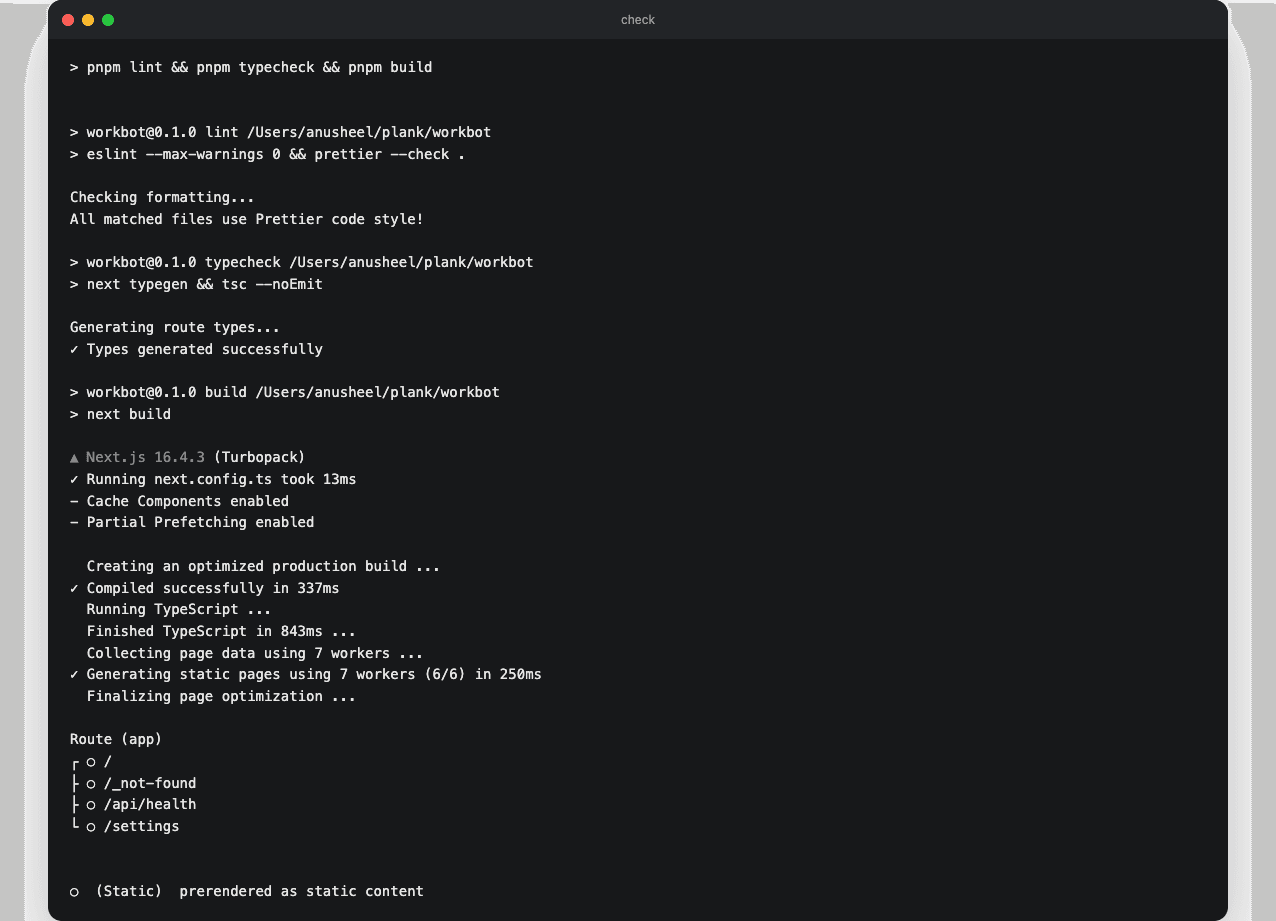
pnpm check passing
pnpm check: ESLint with no warnings allowed, Prettier, next typegen with tsc, then a production build. CI runs the same command.
Technical notes
  • create-next-app 16 stops when the target directory holds a README.md, with "The directory contains files that could conflict". Move the template's README aside, scaffold, then write your own.
  • The scaffold enables Cache Components, the Next.js 16 rendering model. With it on, a page prerenders a static shell, and a component that reads request-time or uncached data must sit inside Suspense, where it streams in at request time. Nothing on Day 1 reads such data; the setting stays on so later days do not switch rendering models.
  • eslint --max-warnings 0 makes a new warning fail CI, so the count stays at zero instead of growing.
  • Run Prettier over the generated shadcn files in the commit that adds them, so the formatting change never shows up in a later diff.
  • setup-node can cache the pnpm store only when pnpm is already installed, so pnpm/action-setup runs first. pnpm install --frozen-lockfile fails when the lockfile disagrees with package.json, instead of rewriting it in CI.

Part 3

Ship 3 features through the loop

Build a health endpoint on a configuration module, a deployment settings page, and a landing page. Each goes through the same steps: git switch -c <feature>, implement with Claude Code, pnpm check, gh pr create --fill, /codex:review from the Codex plugin, preview, gh pr merge --merge.

Study first

  • Route handlers: src/app/api/<name>/route.ts exports one function per HTTP method and returns Response.json(...).
  • Vercel previews: each pull request gets its own deployment, and the Vercel app posts the URL on the pull request.

Build

  1. src/lib/config.ts reads VERCEL_ENV and the first 7 characters of VERCEL_GIT_COMMIT_SHA, with local fallbacks, and /api/health returns { status: "ok", commit }. Take it through the steps above.
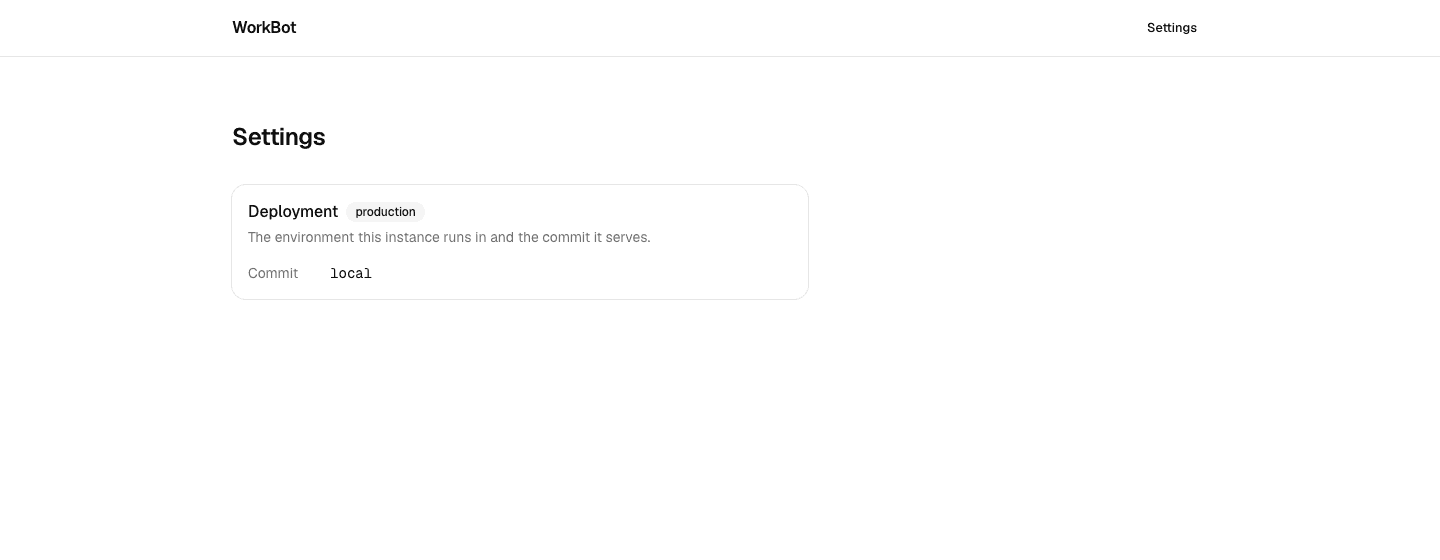
  2. /settings: the environment and the commit from config.ts, in a Card with a Badge for the environment.
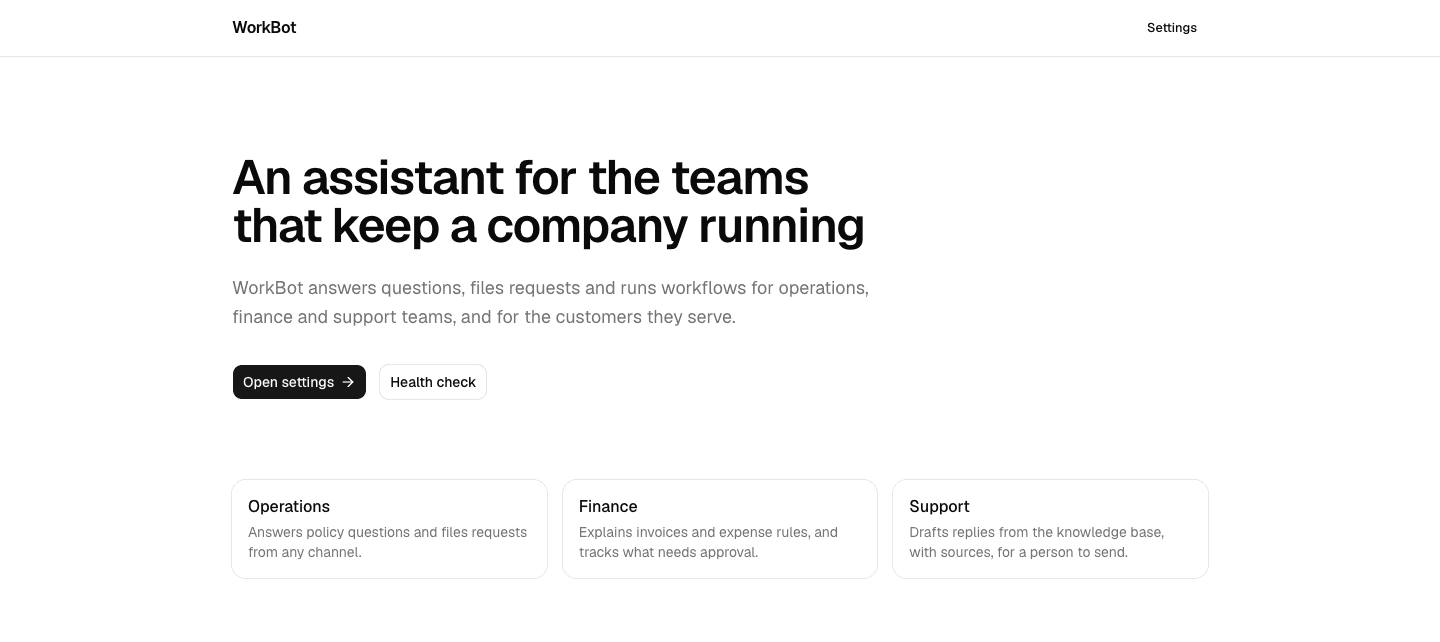
  3. The landing page: a header with the product name and a link to settings, one paragraph on what WorkBot is for, and buttons to the settings page and the health check. Remove the starter assets from public/.
  4. Before each merge, open the preview URL and check the changed page at desktop and phone widths.

Done when

  • On production, /api/health returns the first 7 characters of the merged commit's SHA and /settings shows the same value; CI is green and the Vercel preview comment is present on all 3 pull requests.
The landing page
The landing page after Day 1: the product in one sentence, and the 2 pages that exist so far.
The settings page
The settings page: the environment and the commit the instance serves, read from one configuration module.
Technical notes
  • Vercel sets VERCEL_ENV and VERCEL_GIT_COMMIT_SHA at build time and at runtime. VERCEL_REGION is set at runtime only, so a prerendered page cannot show it; leave it out.
  • shadcn's Button renders another element with asChild: <Button asChild><Link href="/settings">…</Link></Button> keeps Next.js navigation and the button's styling.
  • Compute or fetch data at the top of a page component, then return the markup.

Part 4

Time the loop

The curriculum's target is 10 pull requests an hour: merged pull requests, each timed from branch creation to merge, review and CI included. Use the rest of the day to measure the loop and remove its slowest step.

Study first

  • How to brief Claude Code for a small change: the file, the behaviour, and the check that proves it, in 2 or 3 sentences.

Build

  1. Ship 5 more small changes, one pull request each: a 404 page, a favicon, robots.txt, page metadata, a footer.
  2. Record the time from branch to merge in each pull request description.
  3. After the 5, write down the slowest step and change one thing about it: the brief, the check, or when the review runs.

Done when

  • 5 pull requests merged, each with CI green and a time recorded, and the 5 changes visible on production.
Technical notes
  • gh pr create --fill takes the title and body from the commits, and gh pr merge --merge merges from the terminal. /codex:review runs from the Claude Code session.
  • Merge with a merge commit, so the commits reach main as written: the course's verification reads their messages and diffs.

Resources