Add tests with Vitest
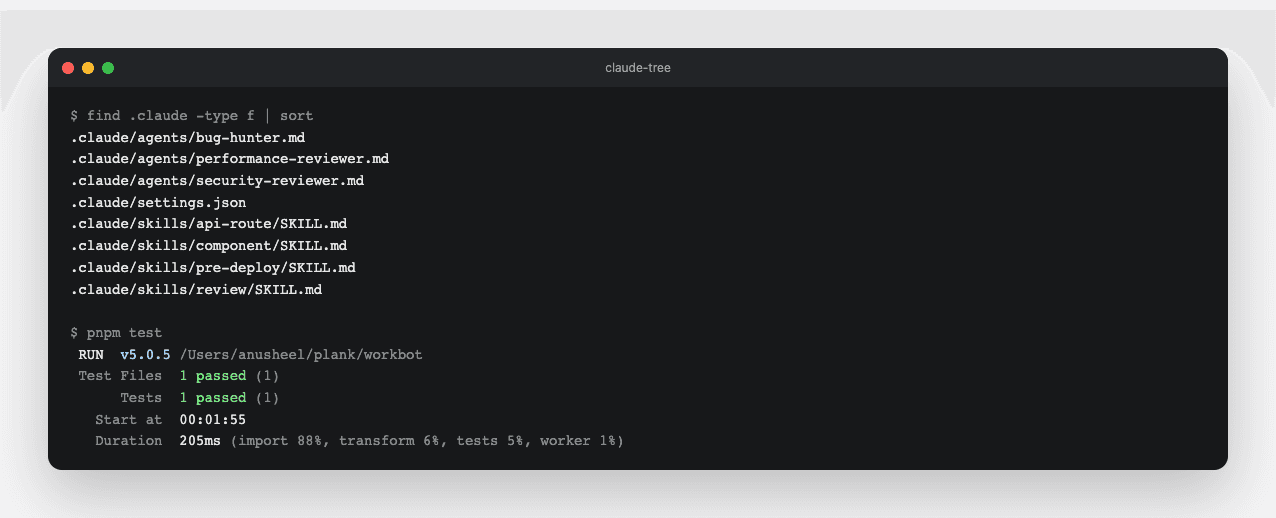
The component skill you write later today creates a test beside every component, so the project needs a test runner before it needs that skill. This part sets up Vitest and proves it works with one test on the header you built on Day 1.
Study first
- Complete the 3 Anthropic courses in the day's topics, Claude Code in Action, Introduction to Agent Skills and Introduction to Subagents. The rest of the day assumes you have done them.
- Vitest's
testandexpect, and its 2 ways to run.vitest runruns the tests once, whilevitestwatches your files and reruns the tests when they change. renderToStaticMarkupfromreact-dom/server, described in React's reference. It renders a component to an HTML string without a browser, which is enough for a component with no state or events.
Build
- Run
pnpm add -D vitest. Then add avitest.config.mtsthat maps the@/import alias tosrc/, and atestscript that runsvitest run. - Write
src/components/site-header.test.tsx, which rendersSiteHeader, the header from Day 1's landing page. It asserts that the markup containsWorkBot,href="/"andhref="/settings". - Add
pnpm testtopnpm check, between the type check and the build, so CI runs the tests on every pull request.
Done when
pnpm testpasses, andpnpm checkruns the tests before the build.
Technical notes
- The alias is the whole configuration, so the file stays this short:
import { defineConfig } from "vitest/config";

export default defineConfig({
  test: { alias: { "@/": new URL("./src/", import.meta.url).pathname } },
});- Name the file
.mts, because Vitest 5 warns when it loadsvitest.config.tsas an ECMAScript module (ESM) from a package without"type": "module". The warning suggests.mjsor that package setting, while.mtsneeds no change topackage.json. - A Client Component, one marked
"use client", may need events or state in a test. When that happens, addjsdomand a DOM testing library. - Put each test beside its component, so
name.test.tsxsits next toname.tsx.